

In today’s fast-paced digital workspace, collaboration is the heartbeat of progress. Businesses thrive not just on talent, but on tools that streamline teamwork, accelerate output, and foster synergy. From cross-functional coordination to real-time communication, the right team business applications are game-changers—boosting efficiency while keeping everyone on the same page.
Let’s explore the essential digital instruments that every forward-thinking team should have in its arsenal.
1. Slack – Streamlined Communication Hub
Slack transforms the way teams communicate. No more endless email threads or buried messages. With dedicated channels for projects, departments, or client discussions, conversations stay organized and accessible.
Direct messaging, file sharing, and app integrations (think Zoom, Google Drive, Salesforce) turn Slack into a digital headquarters. Its real-time messaging means your team stays connected, whether across the room or across time zones.
Among team business applications, Slack stands out as the digital watercooler and conference room combined.
2. Asana – Project Management Made Visual
Keeping projects on track can feel like herding cats. Asana brings structure with sleek task lists, timelines, and kanban boards. Assign tasks, set deadlines, and monitor progress with visual clarity.
Whether you’re launching a product, managing campaigns, or planning events, Asana makes the process transparent and traceable. Everyone knows what’s due, when it’s due, and who’s accountable.
This is one of the most intuitive team business applications for ensuring nothing slips through the cracks.
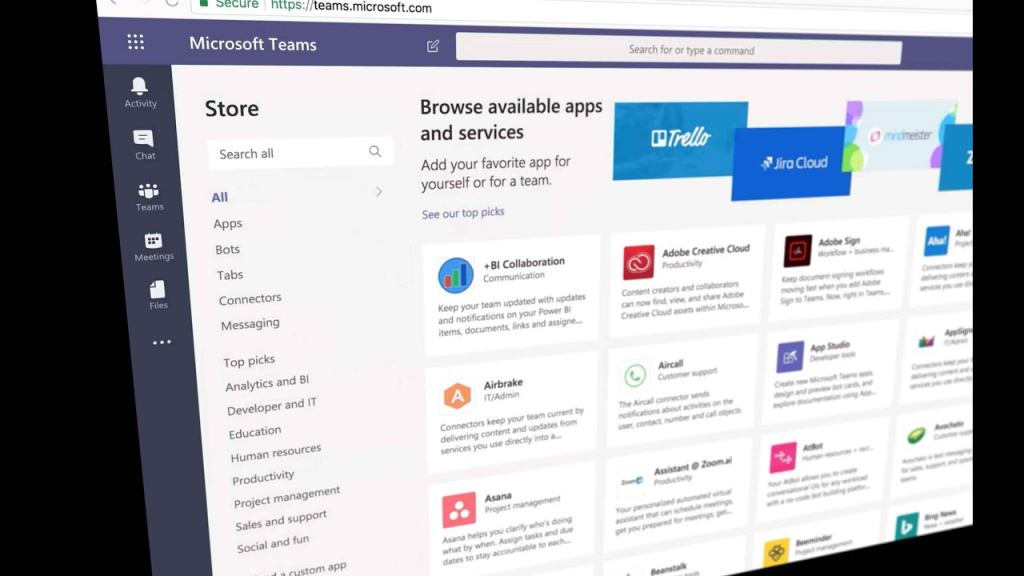
3. Microsoft Teams – Collaboration with Enterprise Power
For teams embedded in the Microsoft ecosystem, Teams is a juggernaut. It combines chat, video conferencing, file sharing, and app integration under one digital roof.
Seamless access to Word, Excel, PowerPoint, and SharePoint ensures real-time document collaboration. Built-in video meetings and threaded conversations make teamwork a breeze—even in hybrid or fully remote environments.
It’s not just a communication tool—it’s a productivity powerhouse.
4. Trello – Simplicity Meets Productivity
If your team prefers a visual workflow, Trello offers unmatched elegance. Cards and boards help break down complex projects into manageable steps.
Use checklists, labels, due dates, and automation (via Butler) to eliminate repetitive tasks. Perfect for creative teams, marketing squads, or agile sprints, Trello keeps collaboration tactile and transparent.
It’s one of the most flexible team business applications for dynamic, visual thinkers.
5. Zoom – The Digital Meeting Room
Video conferencing has gone from novelty to necessity. Zoom is the gold standard. Reliable, scalable, and feature-rich, it supports everything from quick huddles to all-hands meetings.
Features like breakout rooms, screen sharing, and webinar hosting make Zoom versatile for teams of all sizes. With calendar integration and recording options, it ensures meetings are both accessible and actionable.
Zoom isn’t just a tool—it’s the new office space.
6. Google Workspace – Cloud Collaboration Central
From Docs and Sheets to Calendar and Meet, Google Workspace enables seamless collaboration in the cloud. Co-edit in real-time, leave comments, assign tasks—without ever saving or downloading.
Its simplicity hides remarkable power. With everything stored in Google Drive, access is instant and version control is a breeze. Whether your team is 3 or 300, Google Workspace scales beautifully.
It’s among the most trusted team business applications for a reason.
7. Notion – The Team Wiki Reimagined
Notion is a digital canvas where your team’s knowledge, tasks, and documents can live together. Create project roadmaps, SOPs, content calendars, or brainstorming docs—all in one place.
Its modular blocks make customization easy. You can embed databases, visuals, checklists, or timelines with drag-and-drop ease. For teams who value a clean and unified workspace, Notion is a creative sanctuary.
It’s a rising star in the world of team business applications.
8. ClickUp – The All-in-One Work OS
ClickUp merges the best of project management, documentation, time tracking, and reporting into a single intuitive platform. Tailor views (List, Board, Gantt, Calendar) to suit your team’s needs.
From product development to HR onboarding, ClickUp adapts to any workflow. Automation and templates accelerate routine work, freeing your team for high-impact tasks.
ClickUp isn’t just another app—it’s a strategic upgrade to how your team operates.
9. Miro – Whiteboarding Without Boundaries
Miro brings the brainstorming session online. Sticky notes, mind maps, and wireframes help teams visualize problems and ideate together—even remotely.
Facilitate workshops, sprint planning, or creative sessions in an immersive digital canvas. Its intuitive interface and collaborative tools turn abstract ideas into tangible plans.
It’s among the most unique team business applications for teams that thrive on creativity.
10. Monday.com – Customizable Workflows for Any Team
Every team is unique. Monday.com understands that, offering a platform that adapts to your processes. From sales pipelines to editorial calendars, you can build out customized dashboards and automations.
Color-coded status updates, integrations with your favorite tools, and powerful reporting make it perfect for transparency and scalability.
It’s a Swiss Army knife for modern teams.
Conclusion: Equip Your Team for Excellence
The workplace of the future isn’t just about people—it’s about the tools they use. These team business applications don’t just enhance communication and coordination; they supercharge productivity and spark innovation.
By embracing the right combination of tools, businesses can empower their teams to focus less on friction—and more on what truly matters: collaboration, creativity, and success.
